


Microform Copiers, Readers, and Scanners
What is a microcard?
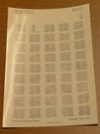 When a negative is printed onto photographic paper rather than film the product is called a micro-opaque (microprint or microcard).
Each copy is printed by offset lithography rather than being reproduced from the original film.
This is old technology that has virtually disappeared from the market, but library collections still contain millions of these items.
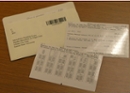
The terms microprint and microcard are used to denote different sizes.
Microprints are large cards measuring about 5 by 7 inches.
Microcards are smaller, measuring about 3 by 5 inches. Microcards (micro-opague or micro-print) images are read by reflecting light off the image rather than through it. Microcards cannot be read on the same equipment as microfilm or microfiche.
Microcard Reader
Two microform scanners are available on the ground floor of the DBW Weldon Library in the back of the microfilm collection room. One ST Viewscan 3 (black) scanner and one ST Viewscan 4 (black) scanner. Both can read and scan microfiche, and microfilm, and opaque microcard. ST Viewscan 4 has a more detailed camera.
What is microfiche?
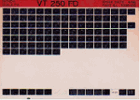 Microfiche is a card-shaped piece of photographic film, usually 4x6 or 3x5 inches in size, used for the storage of miniaturized text in a grid pattern. It can be read only with the aid of magnification by use of a microfiche reader. Microfiche may contain a printed book, journal, or newspaper.
What is microfilm?
Microfilm is a 6 mm or 35 mm continuous roll of photographic film containing miniaturized (micro) images of text. Micro filming is a way to preserve fragile documents, e.g. rare books, back runs of newspaper titles and/or journals.
Microform (fiche or film) scanners
Two microform scanners are available on the ground floor of the DBW Weldon Library in the back of the microfilm collection room. One ST Viewscan 3 (black) scanner and one ST Viewscan 4 (black) scanner. Both can read and scan microfiche, and microfilm, and opaque microcard. ST Viewscan 4 has a more detailed camera.
Getting started with microform readers
Launch ViewScan Premium
- Click anywhere on the ViewScan title page to continue
- Select "Standard" mode
- To advance/rewind microfilm, use the physical buttons on the scanner, or click the corresponding icons on the screen
Find and view microform images
Select the Browse tab to find and prepare your image. Buttons which adjust image quality:
- Rotate, Flip, Mirror: change the screen orientation of the image
- Focus: Auto Focus, Zoom, Focus, + or -
- Auto Adjust: change the brightness and contrast
- Positive/Negative: inverts the image
Capture the image
Select "Crop" tab. At the bottom of the screen, select:
Capture Full Frame: captures entire visible image and a thumbnail is added to the Image Bin (bottom of screen)
OR
Capture Cropped Area (this option is greyed out until an area is selected)
- Click and drag the cursor to select area(s) to capture
- Click "Capture Cropped Area"
- A thumbnail is added to the Image Bin (bottom of screen)
- Click thumbnails in the Image Bin to preview or delete individual images.
Saving images
Saving to a USB flash drive
- Select "File" tab
- Choose "Save"
- Select the folder icon
- Select the correct folder of your USB drive
- Choose a file format. The default is PDF (Multi Page), which creates a PDF file with a single page for each selected image
- Click "Save"
Send via email: Western faculty, staff or students
- Save file to Desktop first
- Launch web browser to access email
- Select "Attach"
- Select appropriate file
- Send email
Alumni or guests are recommended to bring a USB flash drive as it is difficult for them to access email. See staff for assistance, if necessary.
View and scan opaque microcard
Load the microcard as per the posted instructions for using a fiche carrier
- Select "ViewScan Premium"
- Choose "Standard Mode"
- On Browse tab, click Image Settings; icon
- Adjust sliders for shutter speed (increase to 1000 or higher), levels adjustment, brightness, and other options to view content clearly
Please visit the Info Desk for further assistance, if ncessary.
Document scanners
All Print, Copy, Scan stations in our Print Copy Centre are document scanners. You will need a PaperCut account to use the Print, Copy, Scan stations.
Scanning is free.